
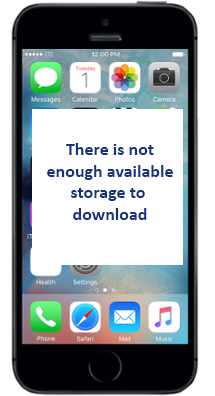
 Have you ever been annoyed by the fact that your iPhone’s storage space keeps getting filled up? Are you constantly having to delete photos, videos, and apps that suck up space on your phone to make room for new ones? Well, there is a simple method to free up more storage without having to erase the content you want on your phone.
A Reddit user recently shared a solution for iPhone users craving more storage space, and the tip has gone viral.
Step 1: Go to the iTunes store and select a movie with a large file size – think “Lord of the Rings” or ‘War & Peace” which is 8.86 GB in HD.
Step 2: You’ll receive a notification that “there is not enough available storage to download” the movie. Select OK
Step 3: Head to your Settings. Select General, then go to Storage and iCloud Usage. You’ll notice that you have more space freed up.
How is this magic possible? Your phone’s attempt to download the large file apparently erases some of the extra or “cached” data that was being used by various apps on your phone.
Step 4: Repeat the process 4-5 times and you can recover 1 to almost 2 Gb. That’s a pretty significant amount of storage space on your iPhone, newly available and ready to use for whatever you like.
Adapted from an article by Brian Mastroianni for cbsnews.com
0 Comments